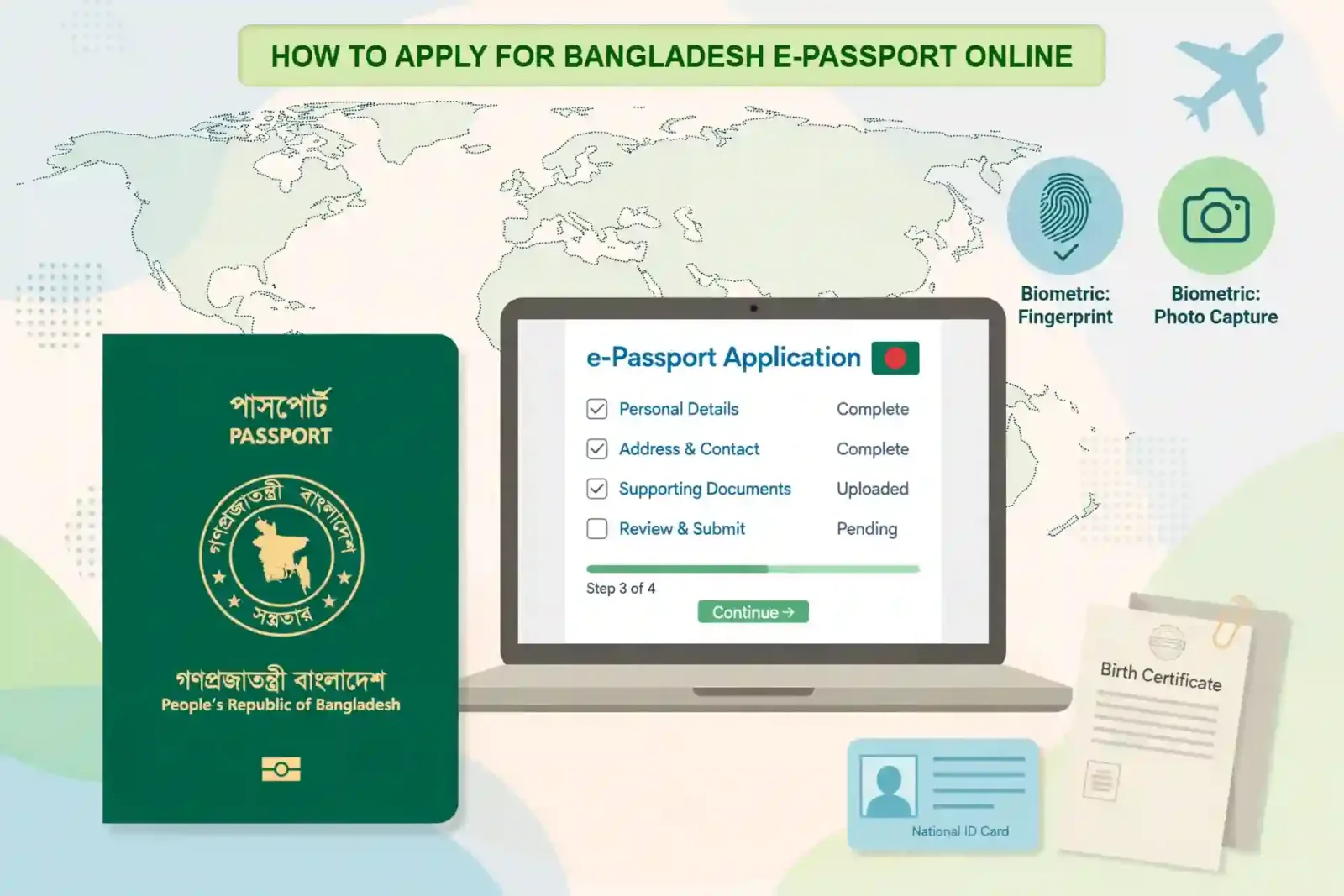
Getting a passport used to mean long queues, repeated visits and a wait for police verification that could stretch for weeks. The Bangladesh e-passport application process is now largely online. You fill in the form at home, pay the fee, book an appointment, and visit the passport office once to give your photograph, fingerprints and iris scan. Everything else happens in the background.
This guide walks through the full process in order: who can apply, which identity document you need, how to fill in the online form without making the mistakes that delay applications, how much you will pay, and what to bring on enrolment day. Fees and rules can change by government circular, so always confirm the final amount on the official portal before you pay.
What changed: no more police verification
The biggest change came in February 2025. In a circular dated 18 February 2025, the Security Services Department of the Ministry of Home Affairs confirmed that e-passports would be issued on the basis of the information in the National Identity Card, known as the NID. For minors and for Bangladeshis living abroad, the online-registered birth registration certificate serves as the main verification document.
In practice, that removed the separate police verification step that previously followed biometric enrolment. Once your biometrics are taken, your application moves to approval, printing and dispatch. When the passport is ready, you are notified by text message and email on the contact details you gave in the form. Keep that mobile number active until you have collected the booklet.
Who can apply, and which identity document decides your details
Any Bangladeshi citizen who can verify citizenship can apply. The document that controls your passport data depends on your age, and this is where many applicants run into trouble at the counter.
• Below 18 years: an online birth registration certificate in English. Both parents' NID cards are also required for minors.
• 18 to 20 years: either an NID card or an online-registered birth registration certificate in English.
• Above 20 years: an NID card is mandatory for applicants inside Bangladesh. Applicants at Bangladesh missions abroad may use an online-registered birth registration certificate where the mission allows it.
Your name, your father's name, your mother's name and your date of birth in the passport form must match the controlling document exactly, letter for letter. Before you start, lay your NID, birth certificate and old passport, if you have one, side by side and compare them. If the spellings differ between documents, sort that out first. The passport office will follow the NID or birth certificate, not the spelling you prefer.
Validity also depends on age. Applicants aged 18 to 65 can choose a 10-year passport. Applicants under 18 and over 65 are issued a 5-year passport, in a 48-page booklet. Everyone now receives an e-passport with a chip that stores biometric information; the old machine-readable passport is no longer issued as a new document.
Step 1: Find your passport office and create an account
Start at the official Bangladesh e-Passport Online Portal, epassport.gov.bd. Choose Apply Online. You will first select your district and police station from the drop-down lists, and the system will assign the divisional or regional passport office that serves your area. Check that your office offers e-passport service before you go further.
Next, create an account with your email address, your NID or birth registration number, and your mobile number, and set a password. Verify the account through the link sent to your email, then sign in with your email or mobile number and password. Use an email address and mobile number that you check regularly, because appointment details and ready-for-collection notices go there.
Step 2: Fill in the online form carefully
This step decides whether the rest of the process is smooth or painful. Work slowly, and copy every detail from your NID or birth certificate rather than typing from memory.
You will enter personal information, present and permanent addresses, identity document details, and information about your parents, spouse if applicable, and profession. You will also choose your passport type, the number of pages and the validity period where a choice is available, and your delivery speed.
A few practical points save a great deal of trouble later. Enter addresses exactly as they appear in your documents, and keep a recent utility bill for your residential address ready in case the office asks for proof of residence. If you are married or divorced, keep your marriage certificate or divorce certificate ready. If you are applying for a re-issue, keep your previous passport details at hand. No document needs to be attested for an e-passport application, and applicants over six years of age do not need to attach a separate photograph, because the photograph is taken at the office during enrolment.
Read the whole form once before you submit it. Correcting a name spelling or date of birth after payment is far harder than checking it now.
Step 3: Choose pages, validity and delivery speed, then pay the fee
You choose between a 48-page and a 64-page booklet. For most people, 48 pages are enough. Frequent travellers who collect many visas and entry stamps may prefer 64 pages. You also choose how fast you need the passport:
• Regular: within 21 days from biometric enrolment
• Express: within 10 days from biometric enrolment
• Super Express: within 2 working days from biometric enrolment, where the service is available
The fees below are the in-country amounts published for regional passport offices. The portal calculates the exact amount for your own application at payment, and that portal amount is the one to pay.
Booklet and validity — Regular — Express — Super Express
48 pages, 5 years — Tk 4,025 — Tk 6,325 — Tk 8,625
48 pages, 10 years — Tk 5,750 — Tk 8,050 — Tk 10,350
64 pages, 5 years — Tk 6,325 — Tk 8,625 — Tk 12,075
64 pages, 10 years — Tk 8,050 — Tk 10,350 — Tk 13,800
Payment can be made online during the application through the options shown on the portal, including cards and mobile financial services, or through authorised banks listed on the portal. If you pay online, the receipt number is linked to your application automatically. Keep the payment receipt safely. Fees are generally not refundable, which is one more reason to check the form before paying, not after.
Step 4: Book your appointment and attend biometric enrolment
After payment, book an appointment slot at your assigned passport office through the portal. Then print three things: the application summary showing your appointment, the full completed application form, and your payment receipt.
On the appointment day, attend in person. Nobody can give your biometrics for you, and this applies to children as well. The office will take your photograph, fingerprints, iris scan and signature. Wear coloured clothing for the photograph, and allow time for queues; enrolment commonly takes one to three hours depending on the office.
Take the following with you:
• Printed application summary and full application form
• Payment receipt
• NID card, original and photocopy, or birth registration certificate where that is your controlling document
• Both parents' NID cards for applicants under 18
• Previous passport, original and photocopy, if you have one. If it was lost, take the general diary or police report copy and a photocopy of the lost passport if you have one
• For children below six years, a recent 3R-size lab-printed photograph with a grey background
• Proof of profession where it applies: a student identity card or certificate from your institution for students, an employment certificate for private-sector employees, a valid trade licence for business owners, and for government employees a Government Order, No Objection Certificate, employment certificate, post-retirement leave order or pension book, as applicable
• Marriage or divorce certificate if your marital status needs to be shown, and any supporting document for a change of address, marital status or profession
At the end of enrolment you will receive a delivery slip with an estimated collection date. Keep it safe. You will need the original slip to collect your passport, and the Application ID on it to track your application.
Step 5: Track your application and collect your passport
From the day of enrolment until collection, you can check progress on the portal under Check Status. Enter your Application ID from the delivery slip or your Online Registration ID from the application summary, together with the applicant's date of birth, complete the human verification, and the current stage will appear on screen. Status wording can change over time, but the application generally moves from enrolment through approval and printing to ready for issuance.
When you receive the ready notification, go to the same office where you enrolled, taking the original delivery slip and your NID card. Check the printed details on the passport before you leave the counter. If anything is wrong, raise it there and then rather than discovering it at an airport months later.
Common mistakes that delay a Bangladesh e-passport application
Most delays are avoidable. The first is a mismatch between the form and the NID or birth certificate, especially in the spelling of names and in dates of birth. The second is choosing the wrong controlling document for your age, or arriving without a parent's NID for a minor. The third is forgetting the printed summary, the full form or the payment receipt. The fourth is booking travel on the assumption that the fastest delivery time is guaranteed; delivery times are service targets from the date of biometric enrolment, so plan around the date on your delivery slip and leave a margin.
Two more habits cause real harm. Paying a middleman to fill in the form gives a stranger your NID number, date of birth and contact details, and any error they make becomes your problem. And checking status on unofficial pages or social media groups risks handing those same details to scammers. The official portal address ends in gov.bd; use only that site for application and status checks.
Frequently asked questions
Do I still need police verification? For applications covered by the February 2025 circular, no. Passports are issued on the basis of NID information, with the online birth registration certificate used for minors and expatriate applicants. If your NID details are correct and verifiable, there is no separate police visit to wait for.
Can I apply completely from home? Almost. The form, payment and appointment booking are online. Biometric enrolment and collection must be done in person at your assigned passport office.
How long does it take? Counting from biometric enrolment, regular delivery is within 21 days, express within 10 days and super express within 2 working days where available. Your delivery slip gives the estimated date for your own application.
What if I live abroad? Apply through the Bangladesh mission that covers where you live. Fees and timelines abroad differ from the in-country table above, so confirm them with the mission before paying.
My old passport still has validity. Can I apply early? Missions and offices generally expect a clear reason if your current passport has more than a year of validity left, such as exhausted pages or a change in personal details. Check with your passport office or mission before applying.
A Bangladesh e-passport application rewards a little preparation. Check that your NID or birth certificate details are correct, fill in the form to match them exactly, pay only through the official portal or its authorised banks, and take the full set of documents to your one in-person visit. Do those things, and the process is straightforward: apply online, enrol once, track from home, and collect when notified.